Freevee - Watch Free Movies and TV on Prime Video in HD & 4K
Go to Freevee - Homepage
Freevee was Amazon’s free, ad-supported streaming app. In 2025, Amazon shut down the standalone Freevee app and moved everything into Prime Video’s “Watch for Free / Free with ads” section. Today, you can stream Freevee movies, TV shows, and live channels directly inside Prime Video.
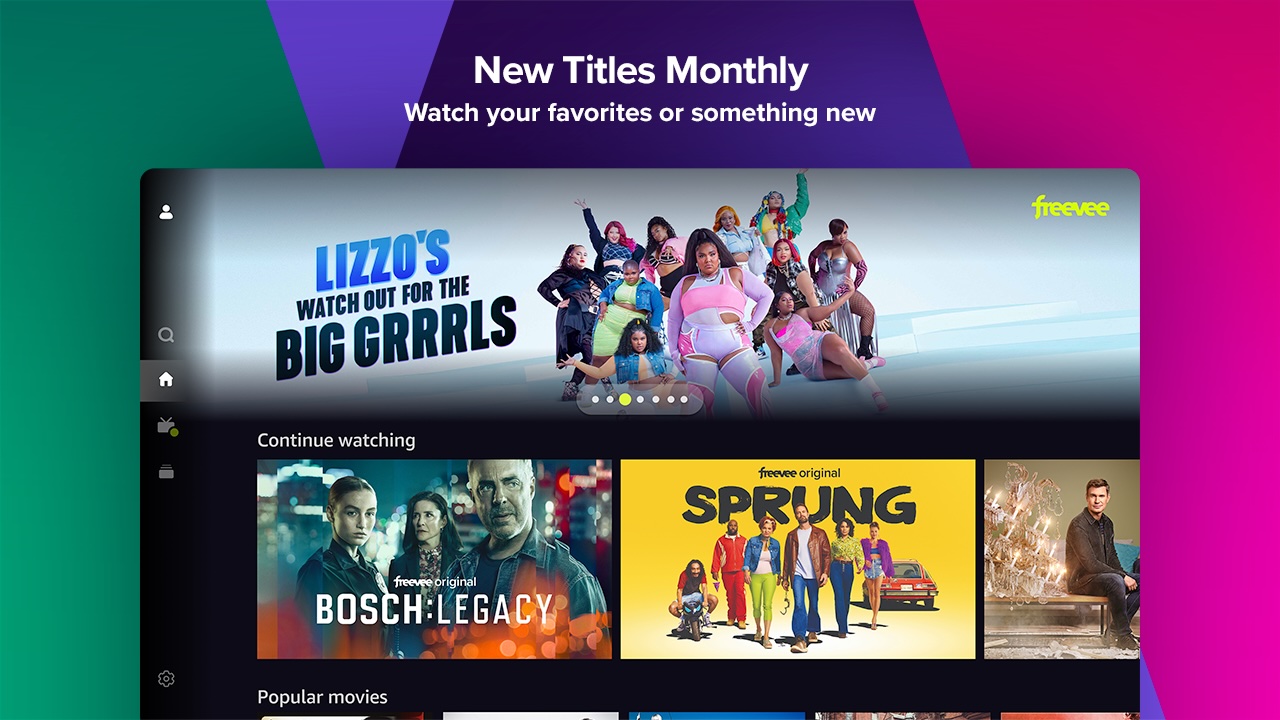
This guide explains step by step how to watch Freevee content on different devices, what quality to expect, and how it compares with other free streaming apps.
What Happened to Freevee?
- Shutdown: Amazon retired the Freevee brand in mid-2025.
- Integration: Free content now lives inside the Prime Video app and website.
- Labeling: Titles are marked “Free with ads.”
- Regions: Available in the US, UK, Germany, and Austria. Content varies by country.
- Account Requirement: A free Amazon account is required. Paid Prime is optional.
Step-by-Step: Watch Freevee Content Inside Prime Video
On a Smart TV or Streaming Device
- Open the Prime Video app.
- Sign in with your Amazon account.
- Go to Home → Watch for Free / Free with ads.
- Pick a movie, series, or live channel.
- Press play. Ads appear before and during playback.
On Phone or Tablet
- Install the Prime Video app from your app store.
- Sign in with your Amazon account.
- Tap Watch for Free or Live TV.
- Select a title.
- Start streaming.
On a Computer
- Visit Prime Video Free Section.
- Sign in with your Amazon account.
- Click Watch for Free / Free with ads or Live TV.
- Browse the catalog.
- Stream instantly.
Live Channels (FAST)
Freevee’s 24/7 live channels are now part of Prime Video’s Live TV area. You’ll find themed channels for:
- News
- Sports
- Comedy
- Entertainment
Channel availability differs by region.
Streaming Quality: HD, 4K, and HDR
Amazon offers higher streaming quality than most free apps.
- HD: Standard for most titles.
- 4K UHD & HDR: Available on select movies and shows.
- Requirements: ~1 Mbps for SD, ~5 Mbps for HD, ~15–25 Mbps for 4K UHD.
Pro Tips for Best Quality
- Use a 4K-capable device and HDMI 2.0+ port.
- Enable UHD mode in TV settings.
- Use Ethernet or 5 GHz Wi-Fi for stable speed.
Supported Devices
If it runs Prime Video, it supports Freevee’s free section. Compatible devices include:
- Fire TV
- Roku
- Apple TV
- Google TV / Android TV
- PlayStation and Xbox
- Samsung and LG smart TVs
- iOS and Android phones
Why Choose Freevee on Prime Video?
Key Advantages
- 4K Titles: Many free apps cap at 1080p, but Prime Video streams in 4K/HDR.
- Single App: Combines free with ads, live TV, and paid Prime Video content.
- Clear Labels: Easy to find “Free with ads” content.
Freevee vs Other Free Streaming Apps
| Feature | Prime Video (Free with Ads) | Tubi / Pluto / Roku |
|---|---|---|
| Account Needed | Yes (Amazon, free) | Optional |
| Video Quality | HD + 4K UHD / HDR | Mostly HD (1080p) |
| Live Channels | Yes | Yes |
| Downloads | No (ads supported) | No |
| Ads | Yes | Yes |
Winner: Prime Video offers sharper streams (with 4K HDR) and a unified platform.
Pro Tips: Find Free Content Faster
- Filter by Watch for Free / Free with ads before searching.
- Search “4K UHD” to find high-quality titles.
- Use Live TV for background entertainment.
- Add free titles to Watchlist before they rotate out.
Expert Insights: The Future of Free Streaming
Industry experts suggest that:
- Amazon is betting on FAST (Free Ad-Supported TV). Integrating Freevee into Prime Video increases viewer engagement.
- Competition is heating up. Rivals like Tubi and Pluto have large catalogs, but Amazon stands out with higher video quality and Prime integration.
- 4K ads will become standard. Expect smoother, ad-supported 4K streaming as internet speeds improve globally.
Update Log
- September 2025: Freevee app removed in most regions.
- July–August 2025: Shutdown confirmed. Content moved inside Prime Video.
- January 2025: PBS FAST channels added (US).
- Late 2024: Amazon announced Freevee shutdown plans.
FAQs About Freevee on Prime Video
Is Freevee shut down?
Yes. The app is retired, but the content lives inside Prime Video’s free section.
Do I need to pay?
No. It’s free with ads. A Prime subscription is optional.
Can I watch in 4K?
Yes. Some free titles stream in 4K HDR. Look for the “4K UHD” badge.
Can I remove ads?
No. Ads support free streaming. Paid Prime Video offers ad-free upgrades.
Is this safe?
Yes—if you use Prime Video. Avoid third-party “Freevee” websites that ask for payment.
Final Checklist
- Prime Video app or website installed.
- Signed in with Amazon account.
- Browsing Watch for Free / Free with ads or Live TV.
- Internet speed: 5 Mbps for HD, 15–25 Mbps for 4K UHD.
- UHD settings enabled on device and TV.
Bottom Line
Freevee didn’t vanish—it merged into Prime Video. To watch free movies, TV shows, and live channels:
- Open Prime Video.
- Sign in with Amazon.
- Go to Watch for Free or Live TV.
You’ll enjoy free streaming, with ads, in HD and even 4K HDR.